3239 CDL
  • Home
  • Classroom
    • Mapping the Course
    • Know and Do
    • Assignments >
      • A1 - Engaged Learning
      • A2 - Inquiry Project
  • Weekly Schedule
    • Week One
    • Week Two
    • Week Three
    • Week Four
    • Week Five
    • Week Six
    • Week Seven
    • Week Eight
    • Week Nine
  • The Commons
    • Bulletin Board
    • Bookshelf
    • Digital Collection
    • Video Collection
  • The Lab
    • Digital Tools
  • Coffee Shop
    • Blogging about 3239 CDL
  • Office
    • About

Week Three

Return to Weekly Schedule

Inquiry 

Picture
This week we will explore the inquiry process, how to develop inquiry questions and delve into the structure of your inquiry projects. Critically examining the process for an inquiry will help ensure understanding and clarity.

Plan and attend your first MENTOR CONNECT chat - using the technology you've worked out with your ONedMentor Connect selected mentor.

Picture
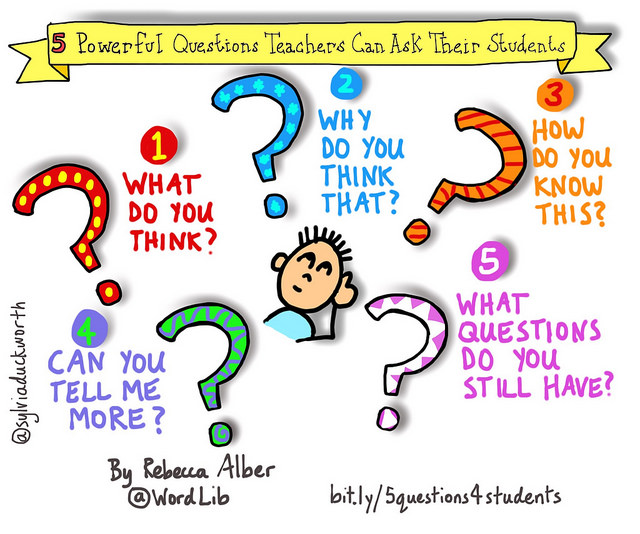
Rebecca Alber, Click to link to article about
5 Powerful Questions Teachers Can Ask - Edutopia.
 At the end of this week, you will be able to:
  • describe and discuss forms of inquiry in the classroom (teacher inquiry, student inquiry) as it applies to curriculum and learning
  • identify the process for an effective inquiry and apply it to the plan for your inquiry project
  • meet and have a conversation with your ONedMentor Connect mentor using a video collaboration tool of your choice
Picture
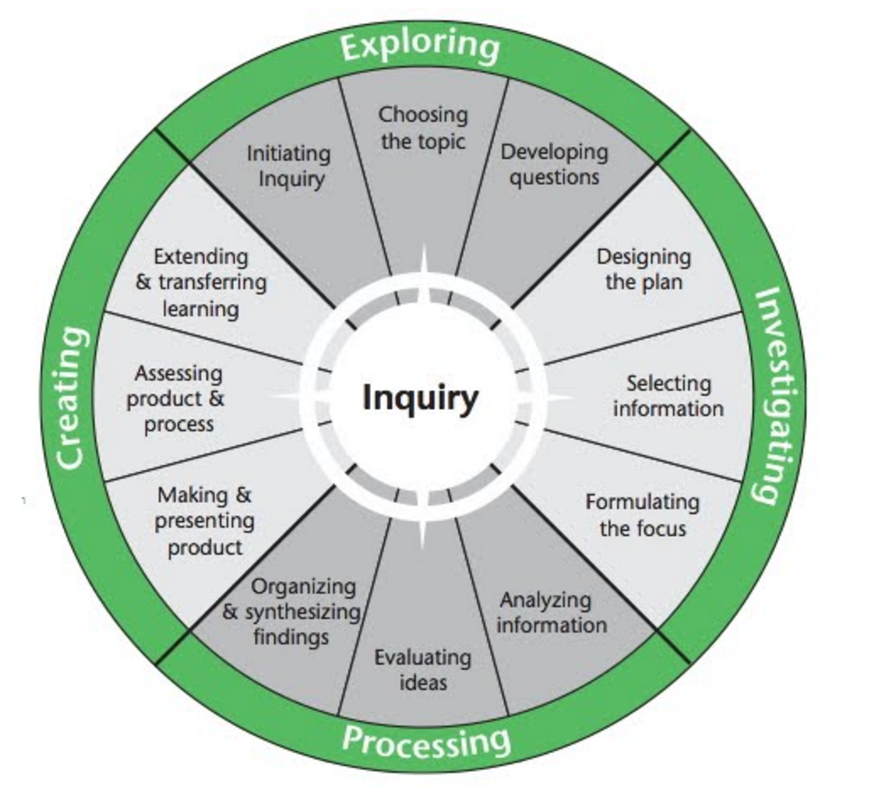
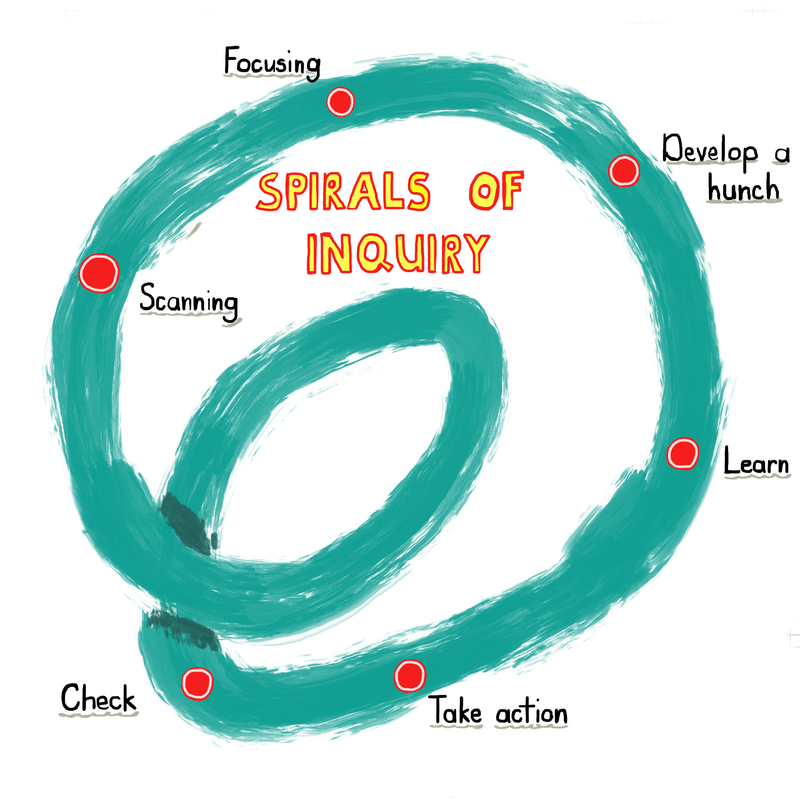
image of inquiry processInquiry Process
  • What is inquiry?
  • What is the process to follow when conducting an inquiry?
  • How do you plan an inquiry project?
  • Where does critical digital literacy fit into an inquiry?
  • Make connections from the readings, your practicuum experiences and your own previous involvement in research.
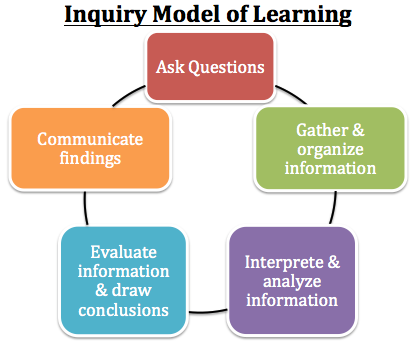
The video and images below share a process that can be applied to your own inquiry project. How will this process inform your project design?

Inquiry in the classroom
A collaborative, professional inquiry project

Readings

  • Collaborative Teacher Inquiry. Secretariat Special Edition #16. 
  • Inquiry-based learning Secretariat Special Edition #32.
  • Making Sense of Inquiry-Based Learning: An Ontario Perspective

Activities

  • Meet with your mentor using the digital tools of your choice. This could be done in Skype, Google hangout, FaceTime, Zoom or other video/audio devices (a phone call can also work wonderfully). Pick technologies that are familiar and easy to use, so critical digital literacies or fluencies don't hamper the conversations you want to have. 
  • Share one or two insights about your mentor meeting in SLACK with your small group OR in the large group #oem_connect channel.
  • Complete ONE page in our OEM Connect google slides storybook. Follow instructions to create your own page in this collaborative story. You will need to sign in since this is a private space for this course.

Actions

  • Post in D2L discussion forum
​​What is inquiry? How can an inquiry approach support or challenge teaching and learning about critical digital literacy? 
What connections can you make from your own teaching/ learning experiences to the readings and explorations into inquiry?
  • Respond to ONE classmate's posts​
  • MEET your MENTOR in some digital collaboration/ conversation tool of your choice.

Learn more about the Inquiry Model for Teaching and Learning from this collection of resources.
Picture
PINTEREST board with links to websites relating to INQUIRY
Follow HJ.DeWaard's board Inquiry on Pinterest.

Home

Lab

Commons

Coffee Shop

Classroom

Office
Creative Commons License
Critical Digital Literacy EDUC3239 by HJ.DeWaard is licensed under a Creative Commons Attribution 4.0 International License.
Critical Digital Literacy  EDUC 3239 - 2015/2016
  • Home
  • Classroom
    • Mapping the Course
    • Know and Do
    • Assignments >
      • A1 - Engaged Learning
      • A2 - Inquiry Project
  • Weekly Schedule
    • Week One
    • Week Two
    • Week Three
    • Week Four
    • Week Five
    • Week Six
    • Week Seven
    • Week Eight
    • Week Nine
  • The Commons
    • Bulletin Board
    • Bookshelf
    • Digital Collection
    • Video Collection
  • The Lab
    • Digital Tools
  • Coffee Shop
    • Blogging about 3239 CDL
  • Office
    • About